TL;DR: Amazon seller analytics empowers FBA sellers to track performance, understand customer behavior, benchmark against competitors, and uncover growth opportunities using data-driven decisions.
Key Takeaways
- Amazon seller analytics transforms raw data into strategic insights for sales growth, inventory planning, and competitive positioning.
- Key metrics like conversion rate, share of search, inventory turnover, and customer lifetime value are critical for long-term profitability.
- Tools like SellerSprite enhance native Amazon reports with advanced dashboards, competitor benchmarking, and market intelligence.
Table of Contents
Note on marketplaces: This guide is specifically optimized for the US market.
What Is Amazon Seller Analytics?
Amazon seller analytics refers to the process of collecting, analyzing, and interpreting data from your Amazon sales, customer behavior, advertising performance, and market trends to make informed business decisions. For FBA (Fulfillment by Amazon) sellers, this goes beyond basic sales reports. It includes deep dives into conversion rates, traffic sources, inventory health, and profitability.
Why does it matter? Because Amazon is a data-rich environment where small optimizations, like improving your listing conversion rate by 2% or adjusting pricing based on competitor moves, can significantly impact your bottom line. Whether you're a beginner or a brand scaling across categories, analytics helps you move from guesswork to strategy.
Essential Amazon Performance Metrics
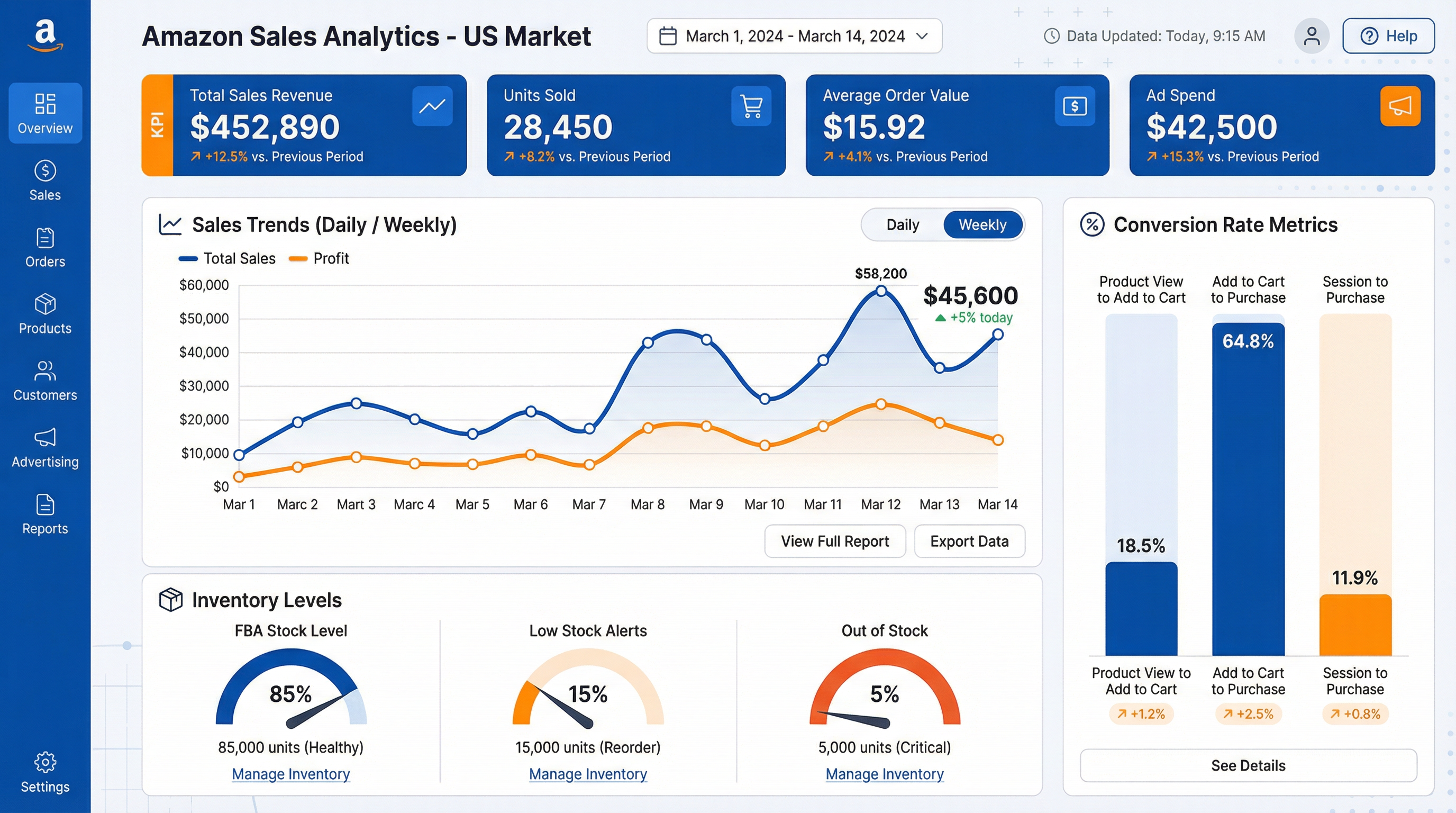
Tracking the right metrics weekly is crucial for maintaining healthy account performance and identifying growth levers. Here are the most important Amazon seller performance metrics you should monitor:
Conversion Rate & Category Benchmarks
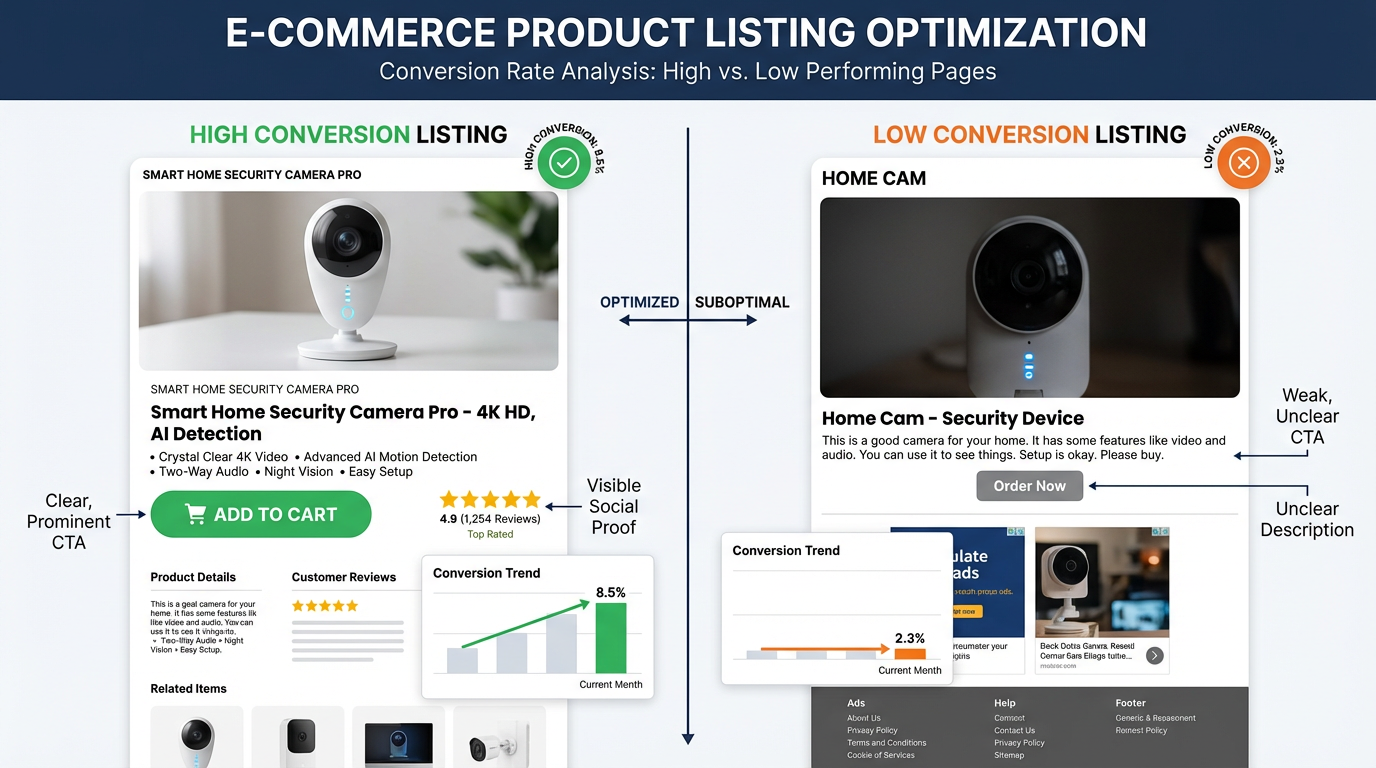
Your conversion rate (orders divided by page views) indicates how effectively your listing turns browsers into buyers. The average Amazon conversion rate is around 10–15%, but this varies by category. For example, electronics may convert at 8%, while home & kitchen can reach 18%. Use Amazon Brand Analytics (ABA) to compare your performance against category benchmarks.
Share of Search: Measure Your Market Presence
Share of search measures the percentage of total category searches your brand captures. If customers search for “wireless earbuds” 1 million times in a month and your products appear in 120,000 of those sessions, your share of search is 12%. This metric helps assess brand visibility and demand generation effectiveness. It's available in ABA for brand-registered sellers.
Customer Lifetime Value (CLV)
CLV estimates the total revenue a customer generates over their relationship with your brand. On Amazon, repeat purchases are limited, but CLV still matters, especially if you drive off-Amazon traffic or sell consumables. Calculate CLV using: Average Order Value × Purchase Frequency × Average Customer Lifespan. Increasing CLV by 10% can boost profits by 25–95% (Bain & Company).
Inventory Turnover Rate
This measures how often you sell and replace inventory in a given period. Formula: COGS / Average Inventory Value. A high turnover rate (e.g., 6–12x per year) indicates strong sales and efficient stock management. Low turnover risks long-term storage fees and obsolescence.
Profit and Loss (P&L) Analysis
Beyond top-line revenue, P&L analysis reveals true profitability. Include all costs: product, shipping, Amazon fees, advertising (ACoS), returns, and overhead. Many sellers overlook hidden fees, using tools like SellerSprite's profit calculator ensures accurate margin tracking.
Amazon Market & Category Intelligence
Understanding your market is as important as knowing your own performance. Amazon category analysis helps you identify high-opportunity niches, seasonal trends, and emerging customer needs.
Start by evaluating category demand using search volume trends. Tools like SellerSprite's market analysis module show monthly search volume, competition intensity, and growth trajectories. Look for categories with rising demand but moderate competition, which are ideal for new product launches.
Also, analyze customer reviews to spot unmet needs. For example, if top-selling products in “organic dog treats” frequently receive complaints about packaging durability, that's an opportunity to differentiate your product.
Competitor Analytics on Amazon
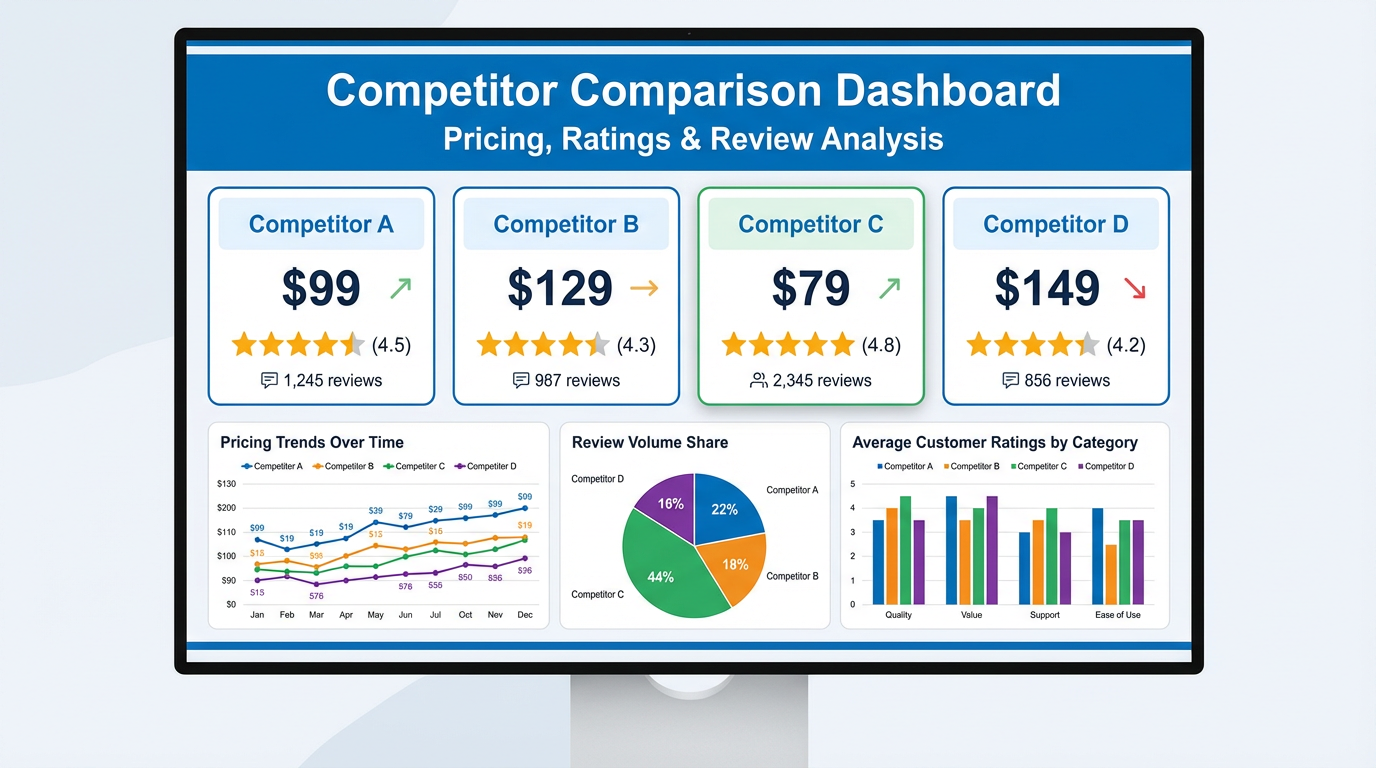
Winning on Amazon requires understanding your competitors' strategies. Amazon competitor analytics involves tracking rivals' pricing, promotions, keyword rankings, review velocity, and inventory levels.
Use tools like SellerSprite to monitor competitor price changes in real time and set alerts. If a top competitor drops their price by 15%, you can decide whether to match, differentiate, or increase ad spend to maintain visibility.
Also, analyze their listing quality: Are they using enhanced brand content? Do they have more A+ content modules? Are their images lifestyle-focused? Reverse-engineering successful listings helps you improve your own.
Data Visualization & Reporting Dashboards
Raw data is hard to interpret. Amazon data visualization dashboards turn complex reports into clear, actionable insights. The best Amazon seller reporting dashboards include:
- Sales trends over time (daily, weekly, monthly)
- Conversion funnel (impressions → clicks → orders)
- Advertising performance (ACoS, TACoS, ROAS)
- Inventory health and restock alerts
- Customer review sentiment analysis
SellerSprite's dashboard integrates with Amazon SP-API to deliver real-time analytics with customizable widgets. You can also export data to CSV or connect to BI tools like Tableau for deeper analysis.
Spoke Articles & Learning Resources
Dive deeper into Amazon analytics with these expert guides:
- How SellerSprite Helps Amazon Sellers Unlock Data Insights
- How to Analyze Amazon Sales Data for Business Success
- How to Use Market Analysis to Find Winning Products
- Review Analysis for Beginners: Extract Customer Insights
- My Product List: Video Tutorial for Tracking Performance
Next Steps
- Sign up for SellerSprite to access advanced Amazon seller analytics and competitor intelligence.
- Explore the dashboard tour to learn how to visualize your key performance metrics.
FAQ
What is Amazon seller analytics and why does it matter for FBA businesses?
Amazon seller analytics involves collecting and analyzing data from your sales, traffic, advertising, and customer behavior to improve business performance. For FBA sellers, it's essential to optimize pricing, manage inventory, improve conversion rates, and stay ahead of competitors in a crowded marketplace.
Which Amazon seller analytics metrics should I track every week?
Key weekly metrics include sales volume, conversion rate, advertising cost of sale (ACoS), inventory levels, customer feedback score, and review ratings. Monitoring these helps you catch issues early and adjust strategy quickly.
How do I analyze my Amazon category performance using data?
Use Amazon Brand Analytics (ABA) to view search term frequency, item popularity, and shopper behavior in your category. Combine this with third-party tools like SellerSprite to assess market size, competition, and growth trends.
How can I use Amazon analytics to monitor competitors and market share?
Track competitor pricing, promotions, keyword rankings, and review velocity using tools like SellerSprite. Share of search (from ABA) also helps estimate your brand's visibility relative to competitors in key categories.
What is share of search on Amazon and how do I calculate it?
Share of search measures the percentage of total category searches your brand appears in. Calculate it as: (Your brand's search appearances ÷ Total category searches) × 100. It's available in Amazon Brand Analytics for brand-registered sellers.
How do I use Amazon Brand Analytics (ABA) for keyword and search term analysis?
ABA provides top search terms, search frequency rank, and conversion clarity. Use it to identify high-volume, low-competition keywords for your listings and sponsored ads. Prioritize keywords where your products already rank well.
Which dashboards or tools are best for visualizing my Amazon seller data?
SellerSprite offers a customizable Amazon data visualization dashboard with real-time sales, conversion, and competitor tracking. Other options include Helium 10, Jungle Scout, and custom Tableau/Power BI integrations via API.
How can I use analytics to improve my conversion rate on Amazon?
Analyze your conversion funnel to identify drop-off points. Optimize product images, titles, bullet points, pricing, and reviews. A/B test enhanced content and monitor performance using split testing tools.
How do I calculate and track customer lifetime value (CLV) for my Amazon store?
CLV = Average Order Value × Purchase Frequency × Average Customer Lifespan. While Amazon limits direct repeat purchases, you can estimate CLV using brand loyalty data, email list integration, or off-platform tracking.
What data should I monitor to spot new trends and product opportunities on Amazon?
Monitor search volume trends, emerging keywords, competitor new launches, review gaps, and seasonal demand shifts. Tools like SellerSprite's market analysis module highlight rising categories and underserved niches.
References
- Amazon Brand Analytics Help View
- Bain & Company on Customer Lifetime Value View
- SellerSprite Product Tour View
By SellerSprite Team
The SellerSprite Team combines deep expertise in Amazon marketplace dynamics, data science, and e-commerce operations. With years of experience helping thousands of sellers, from beginners to enterprise brands, we deliver actionable insights grounded in real-world performance data and advanced analytics.