TL;DR: Sudden drops in Amazon keyword rankings are typically symptoms of underlying metric shifts like sales velocity, conversion rate, or stock availability rather than random algorithm errors. By using SellerSprite to visualize rank history, you can systematically correlate ranking dips with specific events such as Out-of-Stock (OOS) incidents, price changes, or new competitor entries. This guide provides a step-by-step workflow to diagnose the root cause and formulate a data-backed recovery strategy.
Key Takeaways
- Sudden keyword ranking drops are typically caused by inventory lapses, price changes, or competitor entry, not just algorithm updates.
- Amazon's algorithm (often referred to as A10) relies heavily on sales velocity and conversion rates to determine rank.
- SellerSprite Rank Tracking helps distinguish between normal market volatility and critical performance failures.
- Out-of-Stock events cause immediate ranking decay by reducing sales velocity to zero; recovery requires rebuilding momentum.
- Price increases often lead to ranking drops due to reduced conversion rates, a core algorithmic signal.
- Regular audits of listing relevance and competitor keyword targeting are essential to defend market position.
Table of Contents
- Diagnosing a Sudden Drop in Keyword Ranking: A Data-Driven Approach
- Why Rankings Fluctuate: Understanding the Amazon Algorithm
- Step 1: Verify the Drop with SellerSprite Rank Tracking
- Step 2: Analyze Inventory History (Out-of-Stock Impact)
- Step 3: Correlate Pricing and Promotions
- Step 4: Assess Competitor Activity and Market Saturation
- Step 5: Audit Listing Changes and Keyword Relevance
- FAQ
- References
Note on marketplaces: This guide is specifically optimized for the US market. While the core principles apply globally, specific algorithmic sensitivities to price and库存 may vary by region.
Diagnosing a Sudden Drop in Keyword Ranking: A Data-Driven Approach
For an Amazon seller, few things are as panic-inducing as opening the dashboard and seeing a top keyword for a best-selling product plummet from page one to page three overnight. Revenue drops, organic traffic dries up, and the immediate instinct is to wonder if Amazon has suppressed the listing or if the dreaded "algorithm update" has struck. However, reacting without data often leads to wasted ad spend and further ranking erosion.
The reality is that ranking drops are almost always a logical output of the algorithm reacting to specific variables. Amazon's goal is to show the products most likely to convert. If your ranking drops, the algorithm is signaling that your product is no longer perceived as the best answer for that search query relative to competitors. Diagnosing this requires moving away from anecdotal anxiety and towards a forensic investigation of your product data.
This guide outlines a systematic approach to diagnosing ranking drops using SellerSprite. By correlating rank history with inventory logs, price changes, and competitor movements, sellers can transition from confusion to action. We will explore how to identify the difference between a temporary fluctuation and a structural collapse, and how to use SellerSprite's suite of tools—including Rank Tracking and Reverse ASIN research—to reclaim your market position.
Why Rankings Fluctuate: Understanding the Amazon Algorithm
Before diving into the diagnostic steps, it is crucial to understand how Amazon keyword ranking works. Amazon's search engine (often referred to as A10 or the Customer Product Search engine) is not static. It is a dynamic meritocracy that constantly reshuffles results based on performance data. The algorithm does not aim to punish sellers; it aims to maximize customer satisfaction and sales revenue for Amazon.
The two dominant pillars of ranking are Relevance and Performance. Relevance determines if your product is a candidate for a keyword—if the term is in your title, backend terms, or description. Performance determines if you win the bid for that slot. The key performance metrics the algorithm monitors include Sales Velocity (recency and frequency of sales), Conversion Rate (CVR), and Click-Through Rate (CTR).
When a sudden drop occurs, it is usually because one of these performance inputs has degraded. For example, if your conversion rate drops because of a price hike, the algorithm immediately downgrades your product's potential to generate revenue, pushing it down in favor of a competitor with a healthier conversion rate. Understanding this cause-and-effect relationship is the foundation of the diagnostic process. We are looking for the event that disrupted the positive feedback loop of sales and visibility.
Step 1: Verify the Drop with SellerSprite Rank Tracking
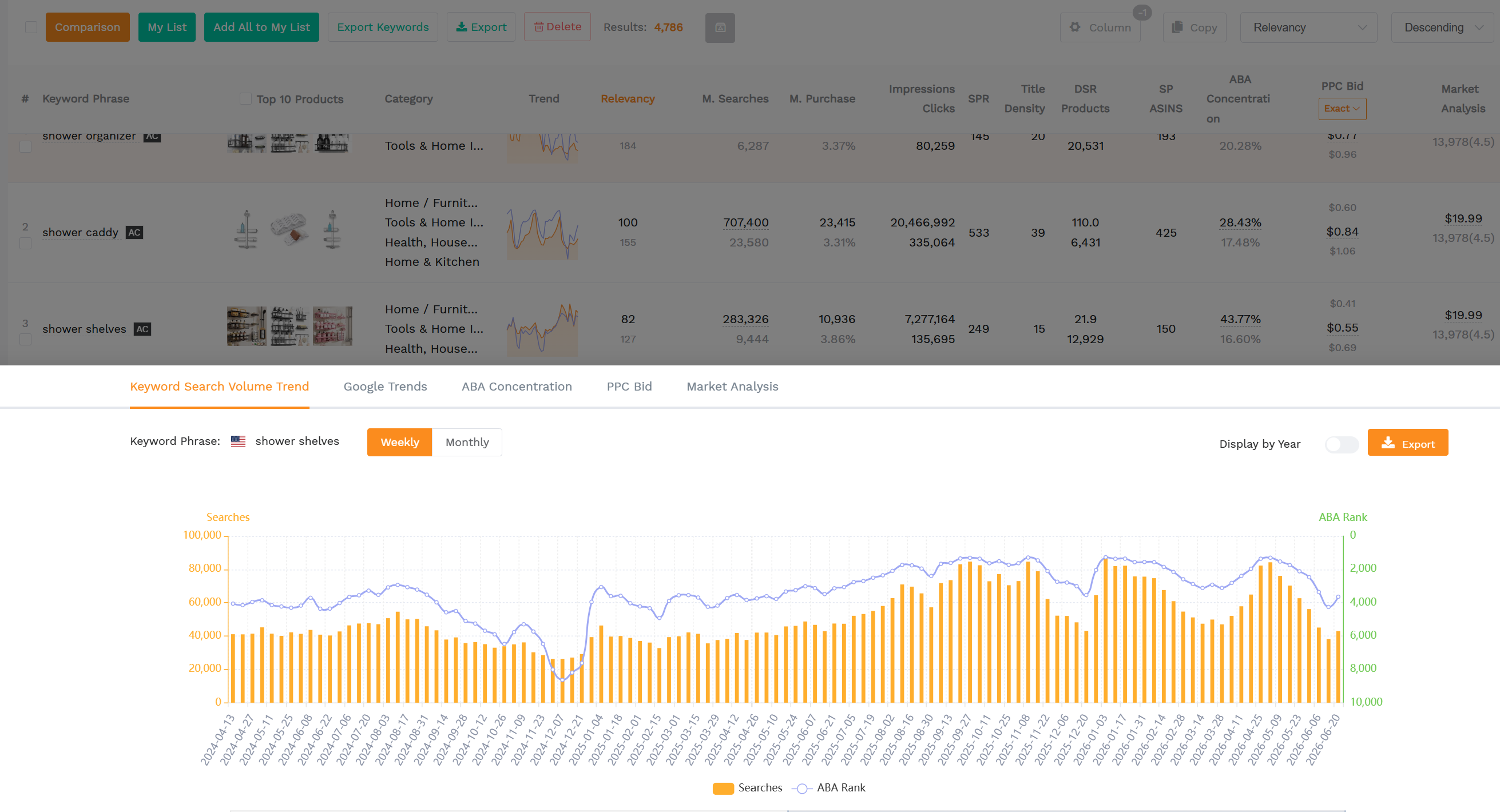
The first step in any diagnosis is verification. Sellers often mistake a temporary fluctuation in the search index for a catastrophic ranking loss. Amazon's index updates multiple times a day, and positions can bounce by a few spots naturally. To determine if you have a real problem, you need historical precision that SellerSprite's Rank Tracking tool provides.
Navigate to the Rank Tracking module within SellerSprite and select the affected ASIN. Look at the trend line for the specific keyword in question. A "cliff" drop—a near-vertical line going from rank #5 to #50 overnight—indicates a severe event like a stockout or a listing suppression. A "slide," where rank gradually slips from #5 to #15 over two weeks, indicates a slower decay in performance metrics, such as losing sales velocity to a new competitor or a gradual decrease in CTR.
Using SellerSprite, you can also cross-reference multiple keywords simultaneously. If all your keywords have dropped in unison, the issue is likely global to the listing (e.g., Buy Box loss, suppressed listing, or category-wide change). If only a specific long-tail keyword has dropped, the issue is likely relevance-based (e.g., a competitor optimized specifically for that term, or you accidentally removed the phrase from your listing). For more insights on tracking methodologies, consult our Amazon Rank Tracking Guide.
Step 2: Analyze Inventory History (Out-of-Stock Impact)
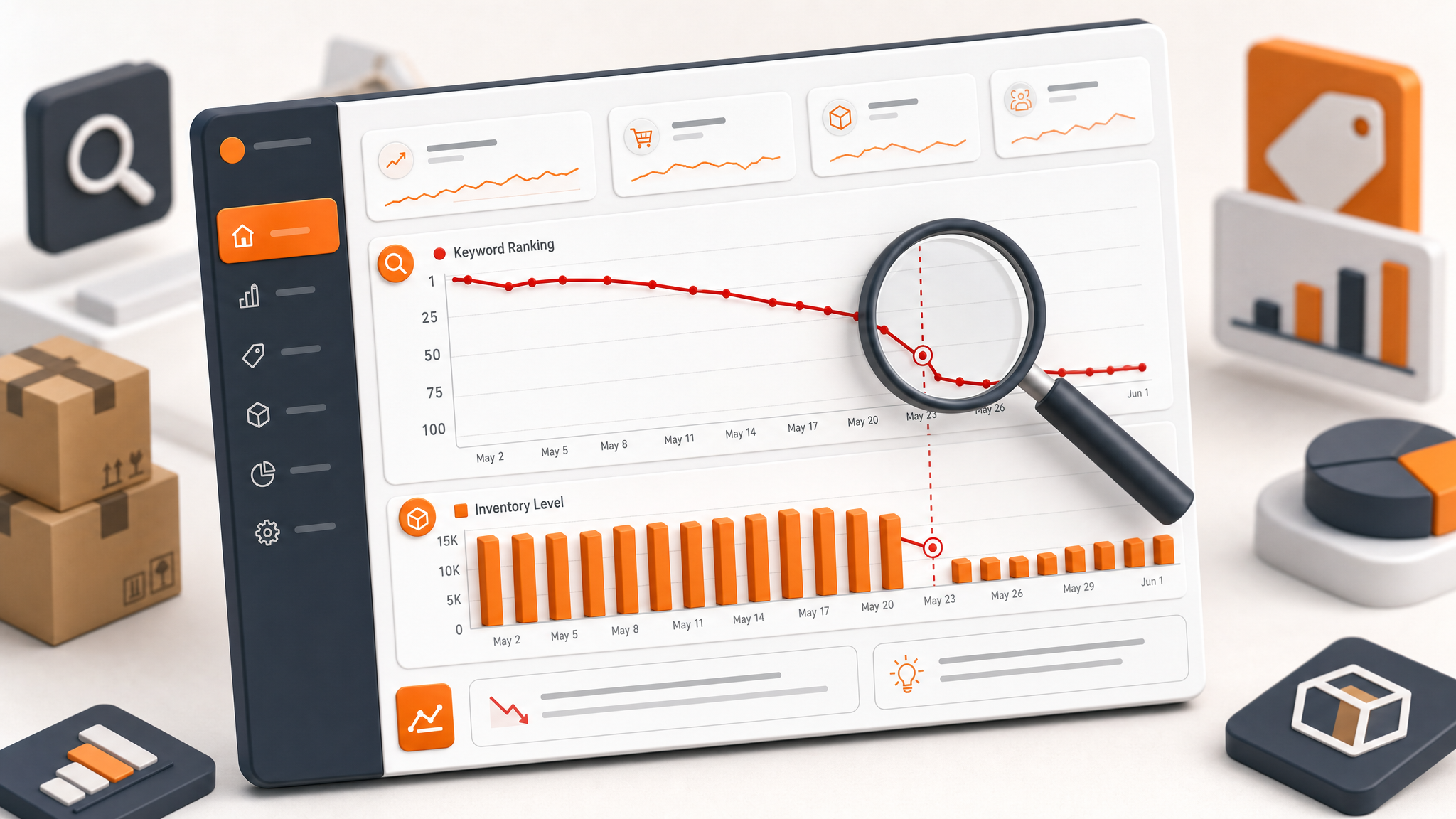
Once a verified drop is identified, the most common culprit to check is inventory. The relationship between stock availability and ranking is brutally direct. As detailed in the analysis of Out-of-Stock (OOS) on keyword rankings, Amazon's algorithm requires continuous sales data to maintain your product's velocity score. When you go out of stock, that velocity hits zero.
A common misconception is that turning the listing to 0 or deactivating it "saves" the rank. It does not. The algorithm continues to rotate other products into your slot. By the time you restock, the window of relevance has often closed, and your previous sales velocity has decayed. The immediate action is to compare your inventory logs (specifically the days where quantity hit zero) with the timestamp of the ranking drop in SellerSprite.
If the data shows a 24-hour OOS event immediately preceding the rank cliff, you have your diagnosis. The recovery plan involves rebuilding sales velocity aggressively—often through PPC or coupon strategies—to signal to the algorithm that the product is back and viable again. However, prevention is the only true cure here. Sellers must use forecasting tools to buffer days of supply against FBA inbound shipping times to avoid these gaps.
Furthermore, simply having inventory isn't always enough if you are storing inventory across multiple fulfillment centers or if your inventory is reserved for processing orders. Ensure the sellable quantity remains positive to maintain your rank stability.
Step 3: Correlate Pricing and Promotions
If inventory is stable, the next variable is price. Amazon is a highly price-competitive marketplace. The algorithm tracks the conversion rate of your product religiously. According to data on how price changes affect keyword ranking, there is a general negative correlation between price increases and organic rank position.
Consider this scenario: A seller raises the price of a best-seller by 20% to improve margins. Overnight, the conversion rate drops from 15% to 8% because customers choose cheaper alternatives. The algorithm detects this drop in performance—specifically, the product's ability to convert traffic at that rank position. Consequently, Amazon demotes the product to a lower position where conversion rates are naturally lower, or where the price is more competitive.
In SellerSprite, look at your price history alongside your rank history. Diagnose if a price change occurred within 48 hours of the ranking drop. Conversely, did you stop a promotion or a coupon? The removal of a 5% coupon can have the same effect as a price hike. To recover, sellers may need to strategically lower prices or reinstate a coupon to boost the conversion rate back to its previous levels, thereby re-establishing the performance metrics required for higher rankings.
Step 4: Assess Competitor Activity and Market Saturation
If your internal metrics (stock and price) have not changed, the cause is likely external: a competitor has outperformed you. Amazon search results are a zero-sum game in many respects. A new entrant with a lower price, superior listing images, or aggressive PPC strategy can displace established sellers.
Use SellerSprite to analyze the search results page for your target keyword. Identify who now occupies the ranking slots you lost. Look at their listing quality, review count, and price point. If a competitor has recently launched and is burning cash on PPC to drive initial sales velocity (a "launch" strategy), the algorithm may be temporarily favoring their upward sales trajectory over your stable baseline.
Additionally, check for "keyword hijacking." This occurs when a competitor piggybacks on your brand or product-specific keywords by including them in their listing, even if irrelevant. This dilutes the relevance of the search results and crowds you out. Use the Reverse ASIN tool in SellerSprite to see which keywords the new competitors are targeting. You may need to defend your position by updating your listing, adjusting your PPC bids, or enhancing your value proposition (images, A+ content) to win back the click.
Step 5: Audit Listing Changes and Keyword Relevance
Finally, consider the relevance of your listing content. Amazon's algorithm also considers textual relevance. If you recently optimized your listing, did you accidentally remove a high-volume keyword from the title or bullet points? Removing a core term breaks the direct link between the customer's search query and your product.
Review the edit history of your listing. If you swapped out a keyword for a synonym that has lower search volume, you may have effectively resigned your ranking for the original term. For example, changing "Water Bottle" to "Hydration Flask" might lose you traffic for the high-volume root keyword. SellerSprite's Keyword Mining tool can help you verify if the terms currently in your listing still match the search behavior of your target audience.
Also, evaluate Click-Through Rate (CTR). If your main image was updated recently and CTR dropped, the algorithm sees your product as less attractive, regardless of how good the offer is. A drop in CTR almost always precedes a drop in rank. Ensure your images are compliant yet compelling and that your title is mobile-optimized to encourage clicks.
FAQ
How long does it take to recover a dropped keyword ranking?
Recovery time depends on the cause. If caused by a temporary stock-out or a single bad pricing decision, rank can often be regained within 1-2 weeks once sales velocity is restored. However, if the drop is due to a permanent loss of competitiveness (e.g., a superior competitor launch) or chronic listing optimization issues, recovery can take months and require a complete strategy overhaul.
Does pausing PPC affect organic keyword ranking?
Pausing PPC indirectly affects organic rank by reducing total sales velocity and visibility. While ads and organic rank are tracked separately in the Amazon algorithm, the sales generated from ads contribute to the overall sales history that Amazon uses to judge product popularity. Abruptly stopping ads can cause a dip in sales, which may then lead to a decline in organic ranking over time. A gradual wind-down is usually safer than a hard stop.
Can a sudden ranking drop be caused by an Amazon algorithm update?
While algorithm updates do happen, they are rarely the sole cause of a sudden, catastrophic drop for a single listing. Updates usually shift the entire market. If your ranking drops while竞争对手 (competitors) remain stable, the issue is likely product-specific (stock, price, listing quality). If everyone drops, it may be an update or seasonal trend. Always check your specific data points before assuming it is an external update.
Next Steps
- Log in to SellerSprite and access your Rank Tracking dashboard to audit your current keyword positions.
- Overlay your inventory and price history onto your keyword trend graph to identify correlations.
- Perform a Reverse ASIN lookup on the competitors who have overtaken your ranking slots to identify their strategic advantages.
- Implement a corrective action plan (restock, adjust price, or optimize listing) and monitor recovery daily.
References
- The Impact of Out-of-Stock on Keyword Rankings View
- How Price Changes Affect Keyword Ranking on Amazon View
- How Amazon Keyword Ranking Works: A Complete Guide View
- Amazon Rank Tracking Guide: Analytics and Insights View
By SellerSprite Success Team
The SellerSprite Success Team consists of Amazon seller tools and marketplace SEO specialists dedicated to empowering sellers with accurate, data-driven insights. With deep experience in e-commerce analytics and the Amazon A10 algorithm, our goal is to help you navigate marketplace volatility and optimize your listings for profitable growth.