If you are searching for how to sell on amazon, you are probably asking practical questions too, like how can i sell on amazon, how do i sell on amazon, or how to sell something on amazon without feeling overwhelmed. The good news is that you can absolutely become an Amazon seller with a clear plan, the right preparation, and a focused tool stack.
In this guide, you will learn why selling on Amazon is a strong opportunity, how to create Amazon seller account through Seller Central, how Amazon sellers account login works, and how to build a listing that earns clicks and sales. You will also see how SellerSprite supports product research, keyword planning, and listing improvements, all without jumping between different platforms.
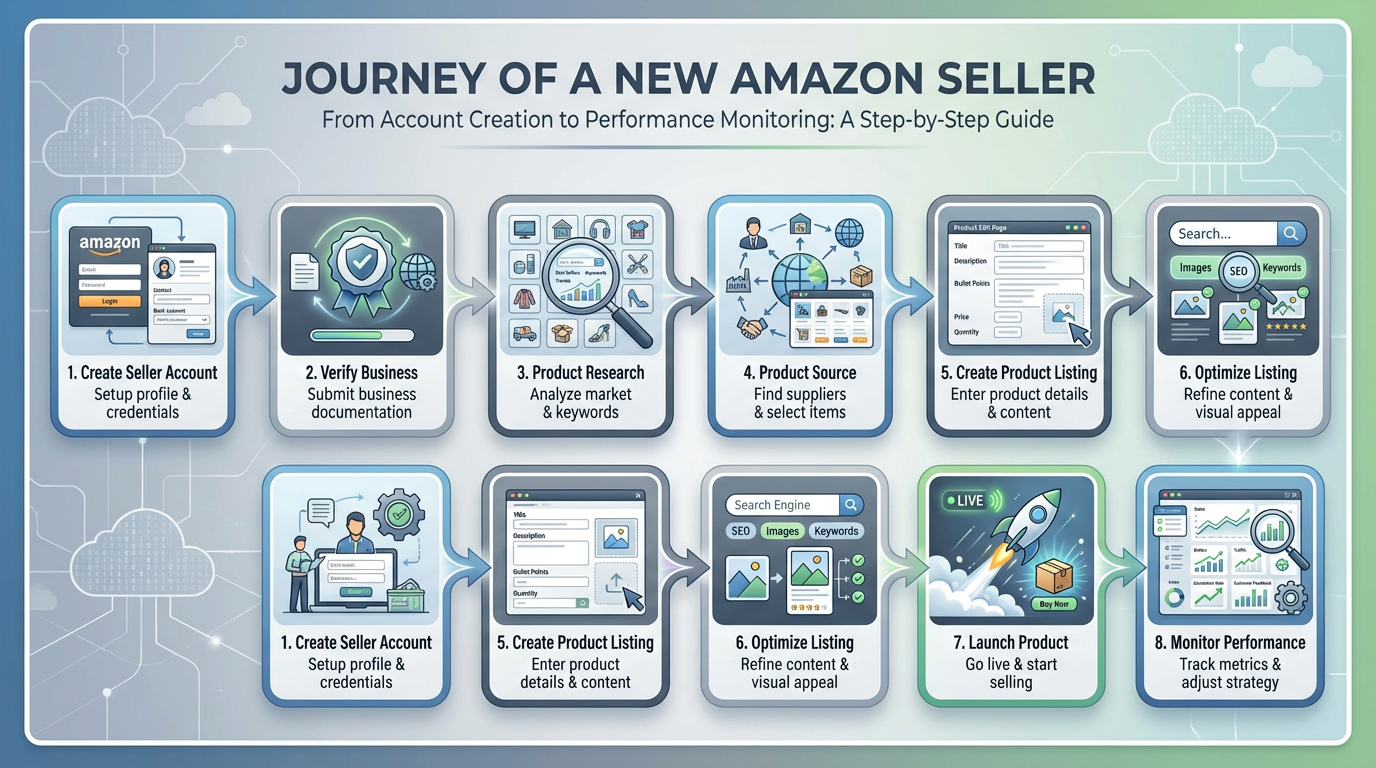
Why Sell on Amazon?
The Opportunity and Reach of Amazon's Marketplace
Amazon attracts shoppers who already trust the platform and arrive ready to buy. As an Amazon seller, you are not starting from zero traffic. You are placing your offer in front of customers who are actively searching every day.
For beginners, the biggest advantage is speed. You can test a product idea, learn what customers want, and improve your listing based on real market feedback. SellerSprite helps you validate demand and competition before you invest in inventory, which makes your first launch less stressful.
A simple mindset that helps you move faster
- You do not need a perfect brand to start.
- You do need a product that solves a clear problem for a clear audience.
- You do need a repeatable process to research, list, and improve.
Benefits of Becoming an Amazon Seller
- Flexibility to run a business around your schedule.
- Scalability by adding more products as you learn.
- Built in trust because customers feel safe buying on Amazon.
- Operational leverage when you use fulfillment options that fit your stage.
Amazon Seller Account Basics
Individual vs Professional Seller Accounts
Your Amazon seller account starts with a plan choice. Amazon offers an Individual plan and a Professional plan. You can switch later, so focus on what makes it easiest to start and learn.
- Individual plan is best when you want to test the waters with low volume.
- Professional plan is best when you want advanced selling capabilities and plan to scale.
Requirements to Get Started
To create Amazon seller account, you will need a few essentials ready. Preparing them upfront helps you complete setup smoothly and avoid delays.
- Government-issued photo ID
- Bank account for payouts
- Credit card for billing
- Tax information
- Business details if you are registering as a company
Navigating to Sell.Amazon.com
Start by visiting sell.amazon.com. This is Amazon's official entry point for setting up an Amazon sellers account through Seller Central.
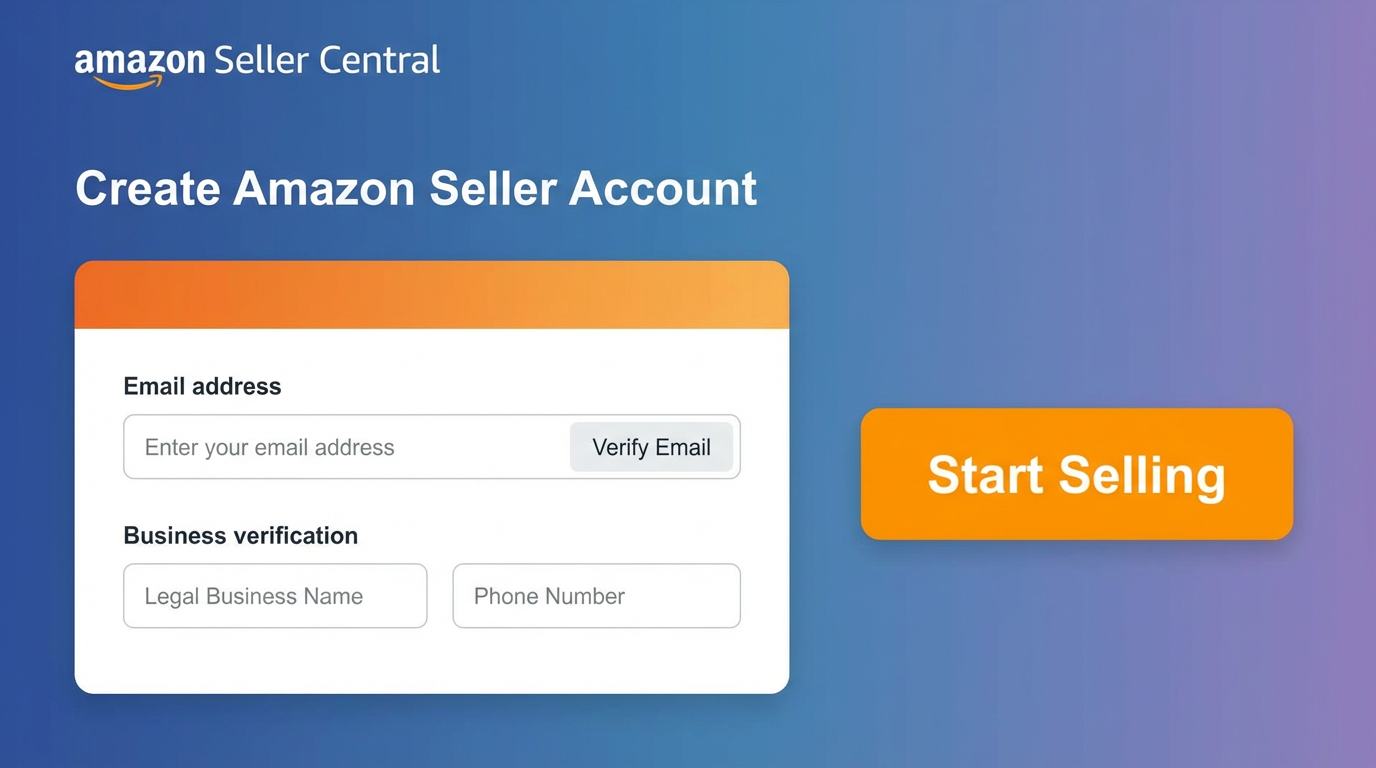
How to Create Your Amazon Seller Account
Step 1: Registering on Amazon Seller Central
On sell.amazon.com, follow the prompts to register for Seller Central. This is where you set up your Amazon seller account details, add payout information, and complete verification steps if requested.
What to do during registration
- Enter contact and business information
- Add billing and payout details
- Complete the tax interview
- Upload verification documents if requested
Step 2: Setting Up Your Seller Profile
Once you are in Seller Central, complete your seller profile so customers feel confident buying from you. This includes the Amazon about seller section, where you can explain what you sell and what buyers can expect.
Make your profile feel credible and human
- Use a clear store name and a short brand story
- Explain your quality promise and service standards
- Keep the tone friendly and straightforward
Step 3: Amazon Sellers Account Login and Dashboard Tour
After approval, you will use your Amazon sellers account login to access Seller Central. This is your operational hub for inventory, orders, performance, and payments. If you ever hear someone say Amazon sellers account, they usually mean the same Seller Central account you manage daily.
Start with these areas first
- Inventory to create listings and edit content
- Orders to manage fulfillment and refunds
- Performance to monitor account health
- Reports to understand sales and payouts
As you explore, remember that your first goal is not mastering every menu. Your first goal is learning what you need to list a product and fulfill orders without mistakes.
Using the Amazon Seller App
The Amazon seller app helps you stay responsive. It is especially useful when you are new, because quick replies and on-time actions protect your performance metrics and build buyer trust.
- Get order alerts and track performance daily
- Respond to customer messages quickly
- Spot issues early before they affect account health
Listing Your First Product on Amazon
Product Categories and Restrictions
Before you invest in inventory, confirm that your product is allowed and that you can sell in the category. Some categories require approval. Starting with simpler categories helps you learn faster and reduces friction.
Use SellerSprite to reduce early risk
- Validate demand and seasonality before you buy
- Study competitor price ranges and review patterns
- Identify keyword intent so you know what buyers expect
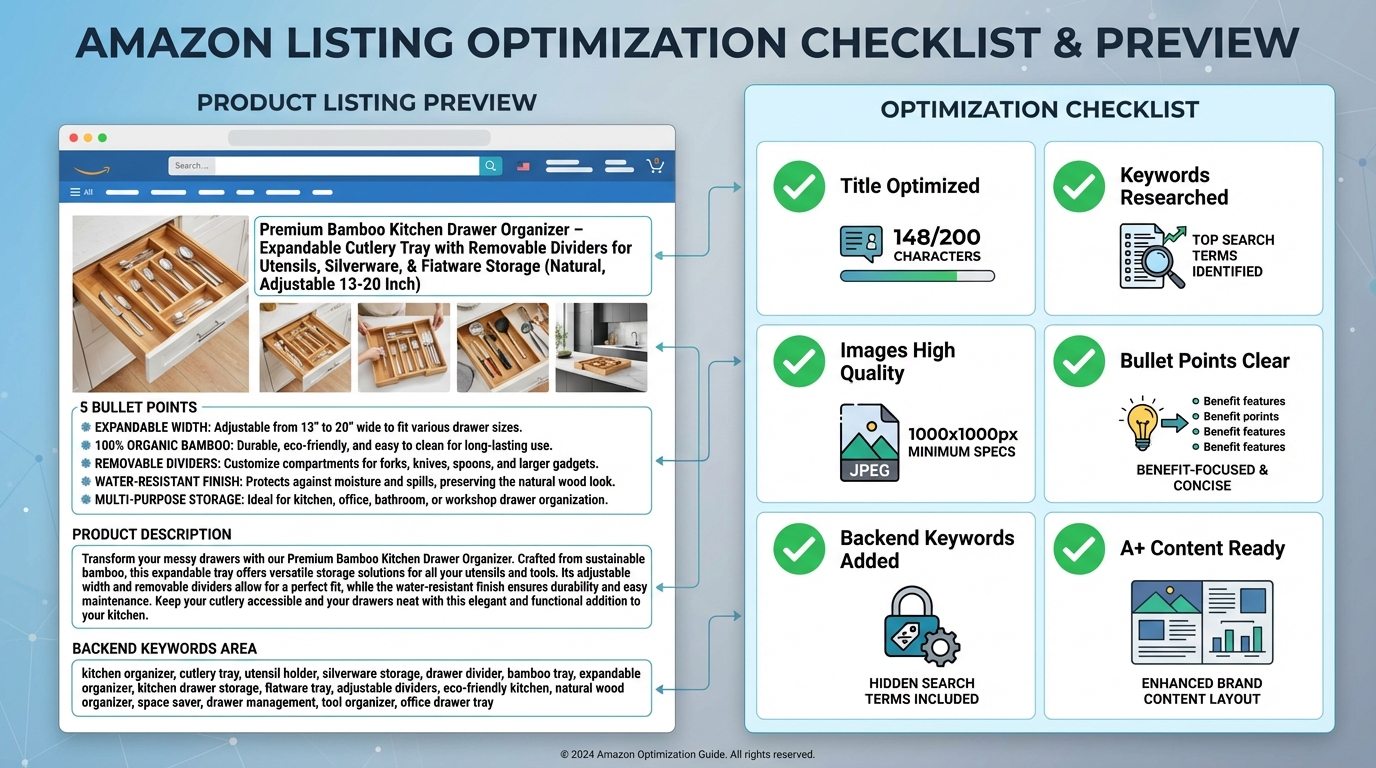
Creating a Product Listing
Many beginners ask how to sell things on Amazon and actually get sales. It starts with a listing that is clear, customer-focused, and keyword-aware. Use the same principle whether you are learning how to sell something on Amazon for the first time or launching your tenth product.
Listing essentials you should nail
- Title that is readable and matches buyer intent
- Bullet points that highlight benefits, not just features
- Description that answers common questions
- Images that feel professional and show the product clearly
- Pricing that makes sense for your stage and category
Where SellerSprite Seller Tools help most
- Reverse ASIN to find phrases buyers actually use
- Competitor AI Research to understand what top listings do well
- Listing Builder to improve clarity and keyword coverage
Shipping Options: FBA vs FBM
Fulfillment affects your workload, delivery speed, and customer experience. Many beginners start with one method, learn the basics, and adjust later.
- FBA means you send inventory to Amazon and Amazon handles delivery and many returns.
- FBM means you store and ship orders yourself, which can be useful when you want to test with smaller quantities.
Tips for New Amazon Sellers
Optimizing Your Listings for Visibility
Visibility is not luck. It comes from relevance and conversion. SellerSprite helps you make decisions based on data, so you can improve faster and waste less time guessing.
A beginner-friendly optimization checklist
- Target one main keyword plus supporting keywords that fit the product
- Use clear shopper language in your title and bullet points
- Prioritize image quality and clarity
- Keep formatting easy to scan
Providing Great Customer Service
Amazon rewards sellers who keep customers happy. Great service protects your metrics and helps you build trust faster, especially when you are new and reviews are limited.
- Respond quickly and politely to customer messages
- Ship on time and use tracking when possible
- Handle returns calmly and professionally
Start Small and Learn
If you are new, your goal is not to win the entire marketplace immediately. Your goal is to build a repeatable process that improves with every week. This is the easiest path to sustainable growth and the best answer to how to get started selling on Amazon.
A simple loop you can repeat
- Research demand and competition with SellerSprite
- Launch a small batch to test quickly
- Review listing performance and customer feedback
- Improve content and operations, then scale what works
Conclusion: Taking the First Step as an Amazon Seller
Overcoming Common Fears
Feeling nervous is normal. Most people start with the same questions, including how can i sell on amazon and how do i sell on amazon. The fastest way forward is to take one clear step at a time, learn from real feedback, and keep improving your listing and operations.
Keep this in mind
- You do not need a huge budget to begin.
- You do not need to know everything on day one.
- You do need consistent action and willingness to learn.
Next Steps and Resources
Here is your simple action plan. If you follow these steps, you will be in a strong position to start selling confidently.
- Open your Amazon seller account on sell.amazon.com and complete verification
- Complete your Amazon about seller profile so customers trust your store
- Use SellerSprite to research one product opportunity and plan keywords
- Publish your first listing and improve it weekly based on performance
Start smarter with SellerSprite Seller Tools
Research demand, find keywords, and improve listings with a workflow built for new sellers. Join a community that helps you become an Amazon seller with confidence.
One last note for clarity. Some people casually say Amazon sellers account and Amazon sellers account login when they mean the same Seller Central setup and sign-in flow. Once you are approved, you will live inside Seller Central daily. That is the real meaning of Amazon in seller account, it is your working space where you manage inventory, orders, and performance.
Now you have a clear plan for how to sell on Amazon, how to sell things on Amazon, and how to get started selling on Amazon. Take the first step today, and keep improving one small piece at a time.