TL;DR: Choosing between dynamic and fixed bidding on Amazon PPC can significantly impact your ad performance and profitability. This guide breaks down the differences, ideal use cases, and optimization strategies to help Amazon sellers in the US make data-driven decisions that lower ACoS and boost ROI.
Key Takeaways
- Dynamic bidding adjusts your bids in real time based on conversion likelihood, while fixed bidding keeps your bid amount constant regardless of context.
- Dynamic bidding down only is ideal for controlling costs during low-conversion periods, whereas dynamic up and down maximizes visibility when competition is high.
- Fixed bidding offers more control and predictability, making it best suited for mature campaigns, branded keywords, or sellers with strict budget constraints.
- The choice between bidding strategies should be based on campaign goals, product lifecycle stage, keyword performance, and historical data.
- You can switch between bidding types mid-campaign, but it's crucial to monitor performance closely and allow a 7–14-day adjustment period.
Table of Contents
- What Are Amazon PPC Bidding Strategies?
- Dynamic vs. Fixed Bidding: A Side-by-Side Comparison
- How Dynamic Bidding Works: Types and Mechanics
- Fixed Bidding Explained: When to Use It
- How to Choose the Right Bidding Strategy for Your Campaign
- Can You Switch Between Dynamic and Fixed Bidding Mid-Campaign?
- Pro Tips for Optimizing Amazon PPC Bidding
- FAQ
- References
Note on marketplaces: This guide is specifically optimized for the US market.
What Are Amazon PPC Bidding Strategies?
Amazon Pay-Per-Click (PPC) advertising is one of the most powerful tools available to sellers looking to increase visibility, drive sales, and scale their businesses. However, simply launching an ad campaign isn’t enough—your bidding strategy determines how much you pay for each click and how often your ads appear. The two primary bidding options Amazon offers are dynamic and fixed. Understanding the nuances between these strategies is essential for any Amazon seller aiming to optimize return on ad spend (ROAS) and reduce advertising cost of sales (ACoS).
For new sellers, the decision between dynamic and fixed bidding can feel overwhelming. Growth-stage brands may struggle with scaling efficiently without overspending. Marketing managers at established brands need precision and predictability. And large-scale sellers require granular control across hundreds of SKUs. No matter where you fall on this spectrum, choosing the right bidding strategy impacts everything from profitability to inventory turnover.
In this comprehensive guide, we’ll break down the mechanics of both dynamic and fixed bidding, compare their pros and cons, explore real-world use cases, and provide actionable steps to help you make informed decisions. Whether you're running Sponsored Products, Sponsored Brands, or Sponsored Display campaigns, mastering Amazon PPC bidding strategies will give you a competitive edge in the crowded US marketplace.
Dynamic vs. Fixed Bidding: A Side-by-Side Comparison
To understand which bidding strategy suits your needs, let’s first define what each one does and how they differ in practice.
| Feature | Dynamic Bidding | Fixed Bidding |
|---|---|---|
| Bid Adjustment | Automatically adjusted by Amazon based on the likelihood to convert | Remains constant unless manually changed |
| Control Level | Low – Amazon controls bid changes | High – Full manual control |
| Best For | New products, broad match campaigns, and exploratory phases | Branded keywords, high-performing ASINs, budget-sensitive campaigns |
| Cost Efficiency | Can save money during low-conversion times (e.g., “down only”) | Predictable spending, but risk of overpaying or underbidding |
| Conversion Focus | Optimized for conversions using machine learning | Relies on historical data and manual optimization |
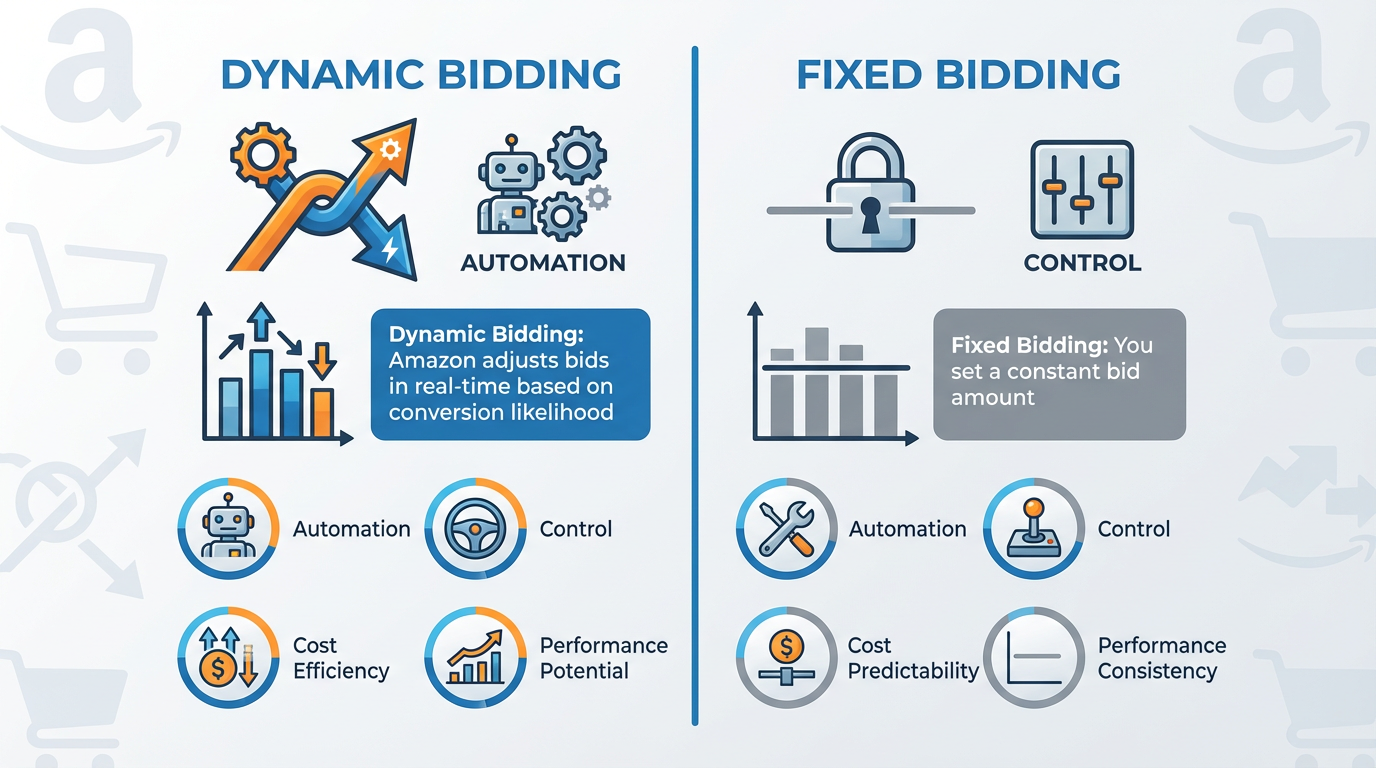
As shown above, dynamic bidding leverages Amazon’s algorithm to adjust bids in real time—increasing them when a click is more likely to result in a sale and decreasing them when conversion chances are low. This makes it ideal for campaigns where you want Amazon to optimize for performance automatically.
Fixed bidding, on the other hand, gives you full control. You set a specific bid amount, and Amazon uses that exact value every time your ad competes for placement. This approach is preferred when you have strong historical data and want to maintain consistent ad positioning without algorithmic interference.
How Dynamic Bidding Works: Types and Mechanics
Amazon offers three variations of dynamic bidding:
- Dynamic Bidding – Down Only
- Dynamic Bidding – Up and Down
- Fixed Bidding (for comparison)
1. Dynamic Bidding – Down Only
This setting allows Amazon to lower your bid in real time if the system predicts a lower likelihood of conversion. However, it will never increase your bid beyond the original amount you set.
Best Use Cases:
- New product launches with limited sales history
- Campaigns targeting broad or phrase match keywords
- Sellers focused on minimizing wasted spend
For example, imagine you're advertising a new kitchen gadget. During peak shopping hours (like evenings or weekends), Amazon sees higher engagement and keeps your bid at the maximum. But late at night, when traffic drops and conversion rates dip, Amazon reduces your bid to avoid paying full price for clicks that are unlikely to convert. This helps protect your budget while still maintaining visibility.
2. Dynamic Bidding – Up and Down
With this option, Amazon can both increase and decrease your bid—up to 100% higher or lower—based on the probability of a sale. If a shopper is deep in the purchase funnel (e.g., viewing product details or adding to cart), Amazon may double your bid to win the auction. Conversely, if the user is just browsing, the bid could drop significantly.
Best Use Cases:
- High-margin products where winning the buy box is critical
- Competitive niches (e.g., electronics, supplements)
- Campaigns aiming for maximum exposure and conversion
While this strategy can drive more conversions, it also increases the risk of overspending—especially if your ACoS targets aren’t clearly defined. It’s crucial to monitor daily spend and adjust your base bid accordingly.
Fixed Bidding Explained: When to Use It
Fixed bidding means your bid stays exactly as you set it—no automatic increases or decreases. Amazon will use your specified bid amount in every auction, regardless of user behavior, time of day, or conversion probability.
This strategy is all about control and predictability. You know precisely how much you’re willing to pay per click, and you can fine-tune bids based on keyword performance, placement reports, and profitability goals.
When to Choose Fixed Bidding
- Branded Keyword Campaigns: When targeting your own brand name or competitor brands, conversion rates are typically high and predictable. There’s little need for Amazon to adjust bids dynamically.
- Mature Campaigns: Once a campaign has accumulated sufficient data (at least 30 days of consistent impressions and clicks), you can identify winning keywords and assign fixed bids to maximize efficiency.
- Budget-Constrained Sellers: If you're operating with a tight daily budget, fixed bidding prevents unexpected spikes in spend caused by dynamic “up” adjustments.
- Top-of-Search Placements: Some sellers use fixed bids combined with placement adjustments (+50% to top of search) to maintain premium visibility without algorithmic interference.
For instance, a skincare brand running a Sponsored Brands campaign for its best-selling moisturizer might use fixed bidding at $1.20 for exact match keywords like “organic face cream.” Historical data shows a 25% conversion rate and ACoS under 20%, so there’s no benefit to letting Amazon fluctuate the bid.
How to Choose the Right Bidding Strategy for Your Campaign
Selecting between dynamic and fixed bidding isn’t a one-size-fits-all decision. It depends on several factors, including your campaign objectives, product lifecycle stage, data maturity, and risk tolerance.
Step 1: Assess Your Campaign Goals
- Goal: Maximize Sales Volume? → Use Dynamic Bidding (Up and Down)
- Goal: Control Costs and Minimize Waste? → Use Dynamic Bidding (Down Only)
- Goal: Maintain Consistent Positioning? → Use Fixed Bidding
Step 2: Evaluate Product Lifecycle Stage
- New Product (0–3 months): Start with Dynamic Bidding – Down Only to gather data safely.
- Growth Phase (3–6 months): Test Dynamic Up and Down on top-performing keywords.
- Established Product (6+ months): Transition to Fixed Bidding for high-converting keywords.
Step 3: Analyze Historical Performance Data
Use Amazon’s Search Term Report and Placement Report to identify:
- Which keywords drive conversions
- Where your ads perform best (top of search, product pages)
- ACoS trends over time
If certain keywords consistently convert at a low ACoS, lock them in with fixed bids. For exploratory broad match campaigns, keep dynamic bidding enabled.
Step 4: Segment Campaigns by Strategy
Smart advertisers don’t apply a single bidding strategy across all campaigns. Instead, they segment:
- Auto Campaigns: Dynamic – Down Only (to explore)
- Broad Match Manual Campaigns: Dynamic – Up and Down (to capture demand)
- Exact Match High-Performers: Fixed Bidding (to protect margins)
- Branded Campaigns: Fixed Bidding (predictable ROI)
This layered approach allows you to balance discovery with efficiency. For more on structuring campaigns effectively, see our detailed guide on Amazon PPC Campaign Structure.
Can You Switch Between Dynamic and Fixed Bidding Mid-Campaign?
Yes, you can switch between dynamic and fixed bidding at any time—even mid-campaign. However, doing so requires careful planning and post-change monitoring.
What Happens When You Switch?
- From Dynamic to Fixed: Amazon stops adjusting bids. Your ad may lose visibility if your fixed bid is too low compared to competitors.
- From Fixed to Dynamic: Amazon begins adjusting bids based on conversion signals. You may see increased spending if “up and down” is selected.
Best Practices for Switching
- Wait for Sufficient Data: Don’t switch until you have at least 7–14 days of performance data.
- Adjust Base Bid First: If switching from dynamic down only to fixed, review the average effective bid and set your fixed bid slightly above that level.
- Monitor Daily for 7–14 Days: Watch for changes in impressions, clicks, CTR, and ACoS.
- Use Placement Reports: Check if your ad position shifts after the change.
For example, a seller noticed their dynamic up and down campaign had an ACoS of 38%, well above target. After analyzing search terms, they identified five high-converting exact match keywords. They created a new campaign, copied those keywords, and set fixed bids 15% below the average dynamic bid. Over the next 10 days, ACoS dropped to 24% with stable sales—proving the value of strategic switching.
For ongoing optimization, consider implementing a weekly Amazon PPC bid routine to review and adjust strategies systematically.
Pro Tips for Optimizing Amazon PPC Bidding
Beyond choosing the right bidding type, here are advanced tactics to refine your Amazon PPC strategy:
1. Combine Bidding Strategies with Dayparting Insights
Although Amazon doesn’t offer native dayparting (scheduling ads by time of day), third-party tools like SellerSprite can analyze hourly performance trends. Use this data to adjust bids manually or pause underperforming campaigns during low-conversion windows.
2. Use Placement Adjustments Strategically
Amazon allows you to add bid adjustments for three placements:
- Top of Search (+50%)
- Product Pages (+50%)
- Rest of Search (default)
If your goal is conversions, increase bids for Top of Search. For awareness, consider boosting Product Page bids. Always pair placement adjustments with the appropriate bidding strategy—e.g., fixed bidding for precise control.
3. Avoid the ‘Lower Bid = Lower ACoS’ Trap
Many sellers assume that lowering their bid will automatically reduce ACoS. However, reducing bids too much can actually increase ACoS by pushing your ad to lower positions with worse conversion rates. It’s a classic case of false economy.
4. Leverage Automation Tools
Manual bid management becomes unsustainable as your catalog grows. Platforms like SellerSprite use AI to monitor performance, recommend bid changes, and automate optimizations—freeing you to focus on strategy. Start with SellerSprite today to scale your Amazon business efficiently.
5. Run A/B Tests
Create duplicate campaigns with different bidding strategies to compare performance objectively. For example:
- Campaign A: Dynamic – Up and Down
- Campaign B: Fixed Bidding
Run both for 14 days with identical keywords and budgets. Compare ACoS, ROAS, and impression share to determine the winner.
FAQ
What are the benefits of using dynamic bidding over fixed bidding on Amazon PPC?
Dynamic bidding offers several advantages over fixed bidding, especially for newer or data-light campaigns. It allows Amazon’s algorithm to automatically adjust your bids based on the likelihood of conversion, increasing bids during high-opportunity moments (e.g., peak shopping hours) and decreasing them when conversion chances are low. This leads to better cost efficiency, improved ad placement during critical times, and reduced wasted spend. It’s particularly effective for broad match campaigns and new product launches where manual optimization is challenging due to lack of historical data.
How do I decide between dynamic and fixed bidding for my Amazon product listings?
The decision depends on your campaign goals, product maturity, and data availability. Use dynamic bidding (especially “down only”) for new products or exploratory campaigns to let Amazon optimize for conversions. Switch to fixed bidding for mature campaigns with proven high-converting keywords, branded terms, or when you need strict budget control. Always analyze performance reports and consider running A/B tests to validate your choice.
Can I switch between dynamic and fixed bidding in the middle of an Amazon ad campaign?
Yes, you can switch between dynamic and fixed bidding at any time. However, it’s important to monitor performance closely after making the change. When switching from dynamic to fixed, ensure your fixed bid is competitive to maintain visibility. When going from fixed to dynamic, watch for potential increases in spend, especially with “up and down” enabled. Allow 7–14 days of post-change data before drawing conclusions.
Next Steps
- Review your current Amazon PPC campaigns and identify which bidding strategy you’re using for each.
- Use the Amazon PPC Optimization Guide to audit your overall ad structure.
- Sign up for SellerSprite to automate bid optimization and gain deeper insights into performance.
References
- Amazon Advertising Help – Bidding Options View
- SellerSprite Blog – Amazon PPC Structure Best Practices View
- SellerSprite Blog – Why ACoS Increases When Lowering Bids View
By SellerSprite Success Team
The SellerSprite Success Team comprises Amazon advertising experts, data analysts, and e-commerce strategists with over a decade of combined experience helping sellers optimize PPC campaigns, reduce ACoS, and scale profitably on Amazon. We specialize in turning complex ad data into actionable insights using AI-powered tools tailored for the US marketplace.