SellerSprite’s extension enables you to collect real-time product data on the Amazon page and generate a market report. With the report, you can know the market competition, market demand, market capacity or so, and determine if a product is a worthwhile investment.
To generate a market report, you need to choose the right samples firstly. The representative samples for a market report are the top 100 products on the search result page or the top 100 products on the BSR page.
How to generate a market report?
1. Enter and search the most crucial keyword for your target market (eg, lemon squeezer). Click the button 【market analysis】below the search box.
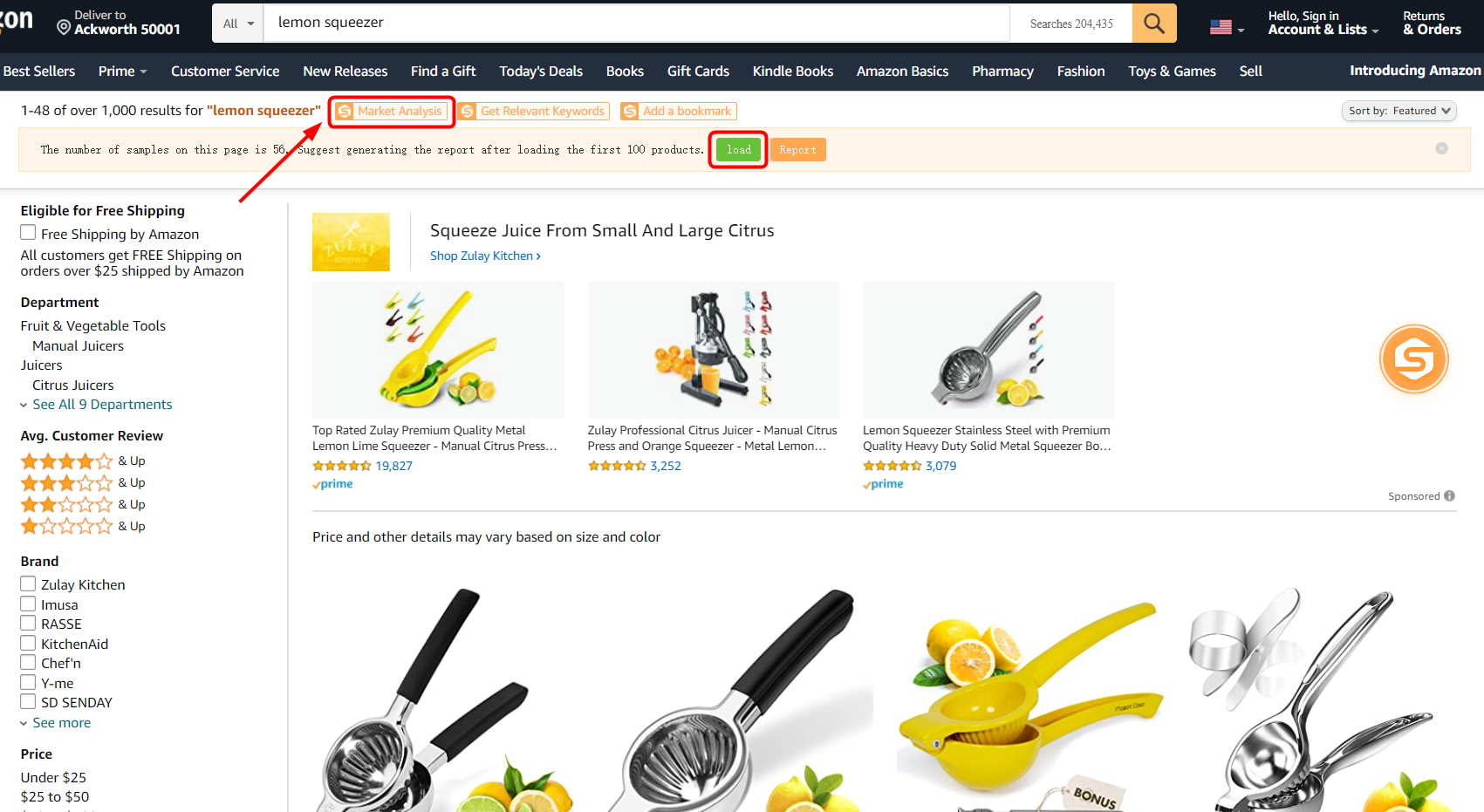
Amazon shows about 50 products per page, so we need to click【load】to load the first 100 products, and the report will be ready in 1-2 minutes.
2.Click the button【View it Now】to see the market report.
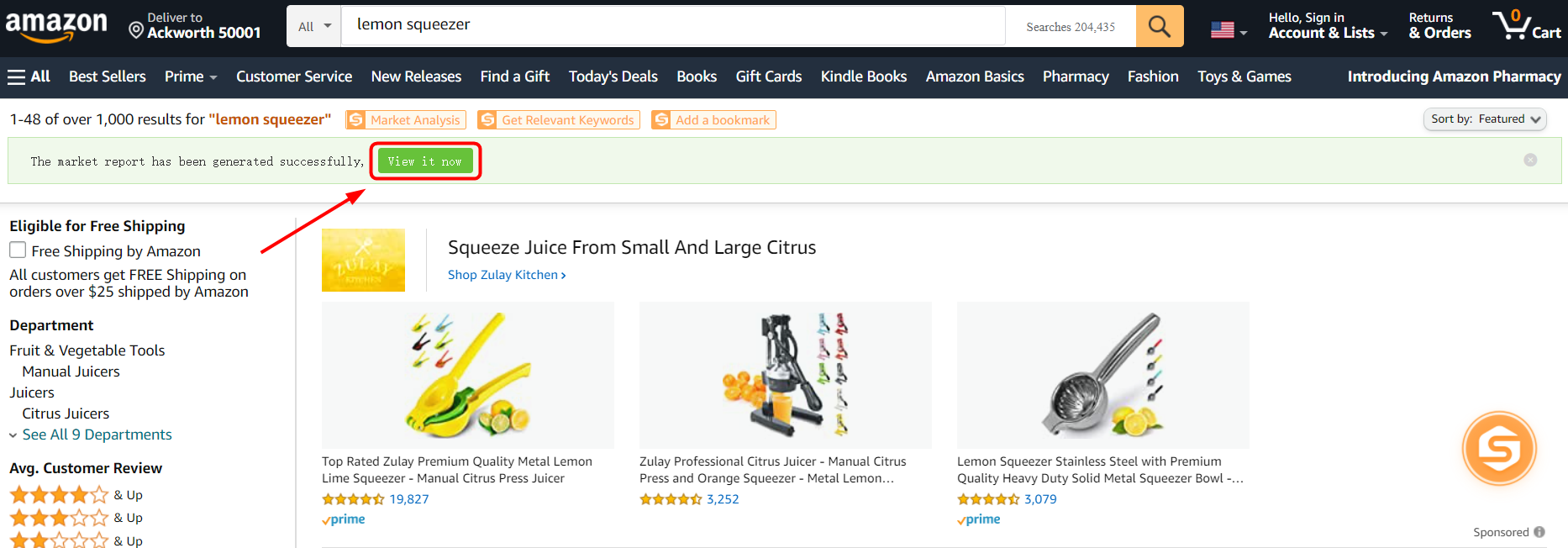
The report provides more than 16 data points needed for market analysis.
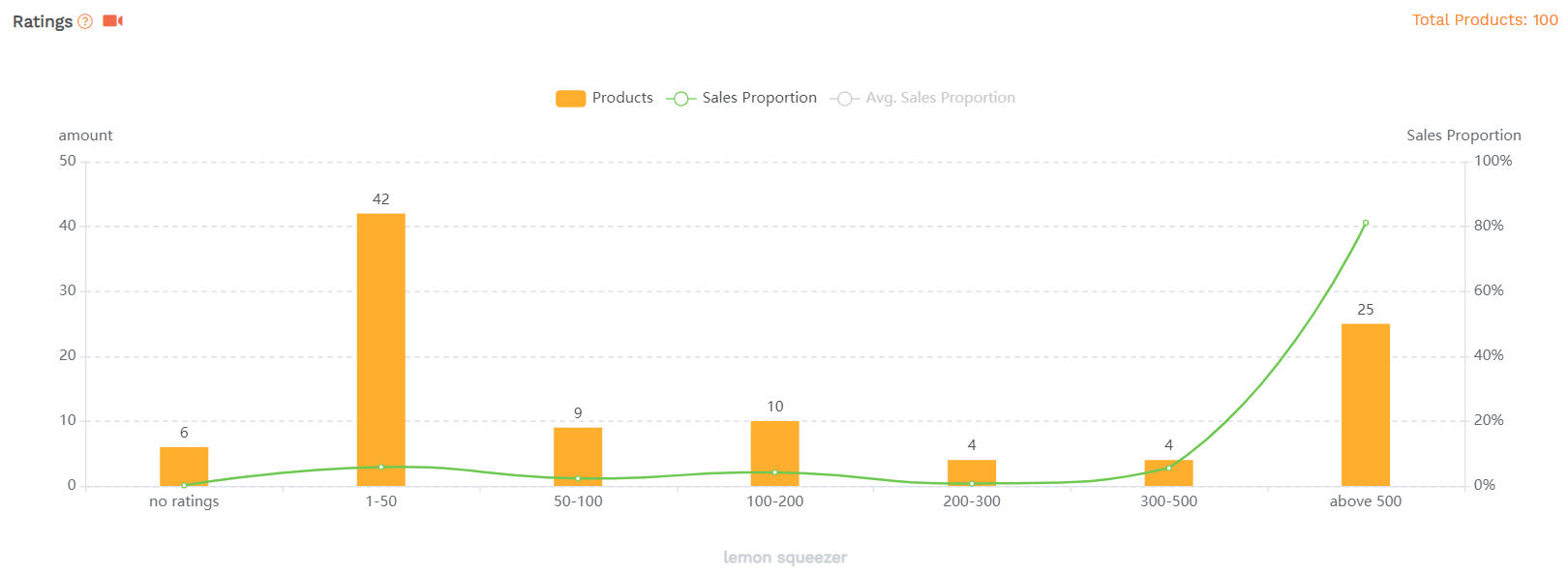
Click to see the customized market report for the lemon squeezer.
Part screenshots of the market report:
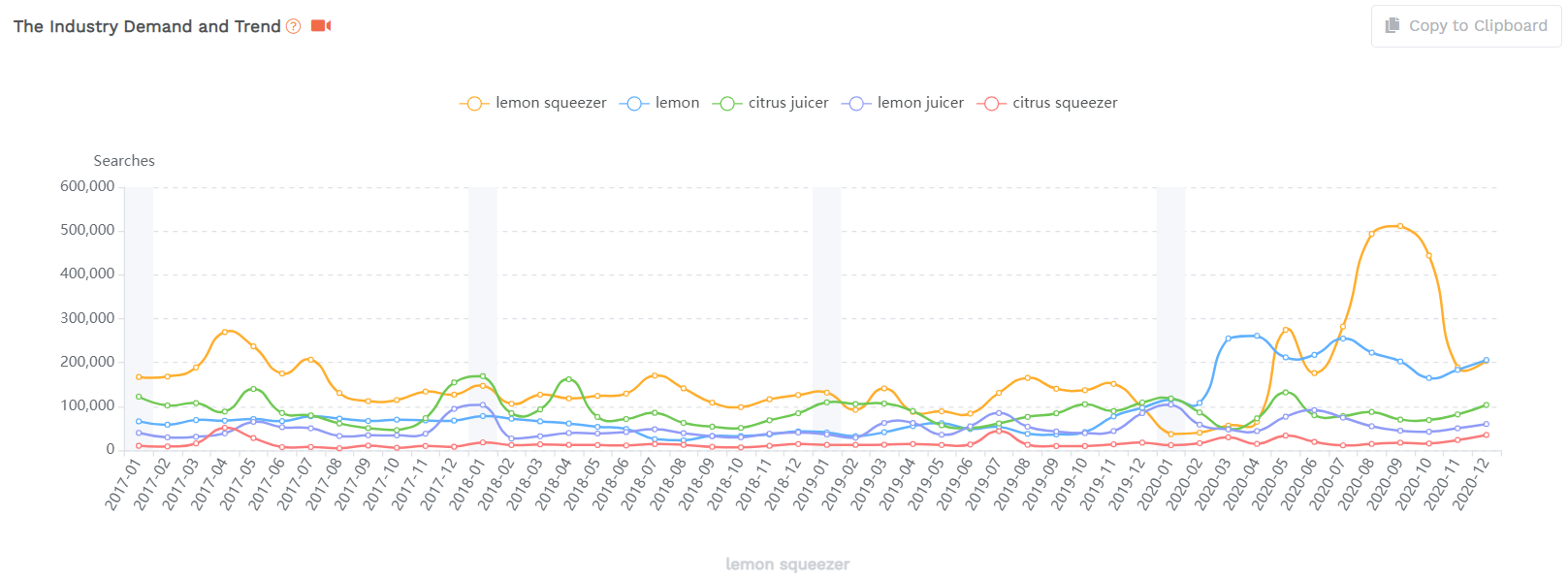
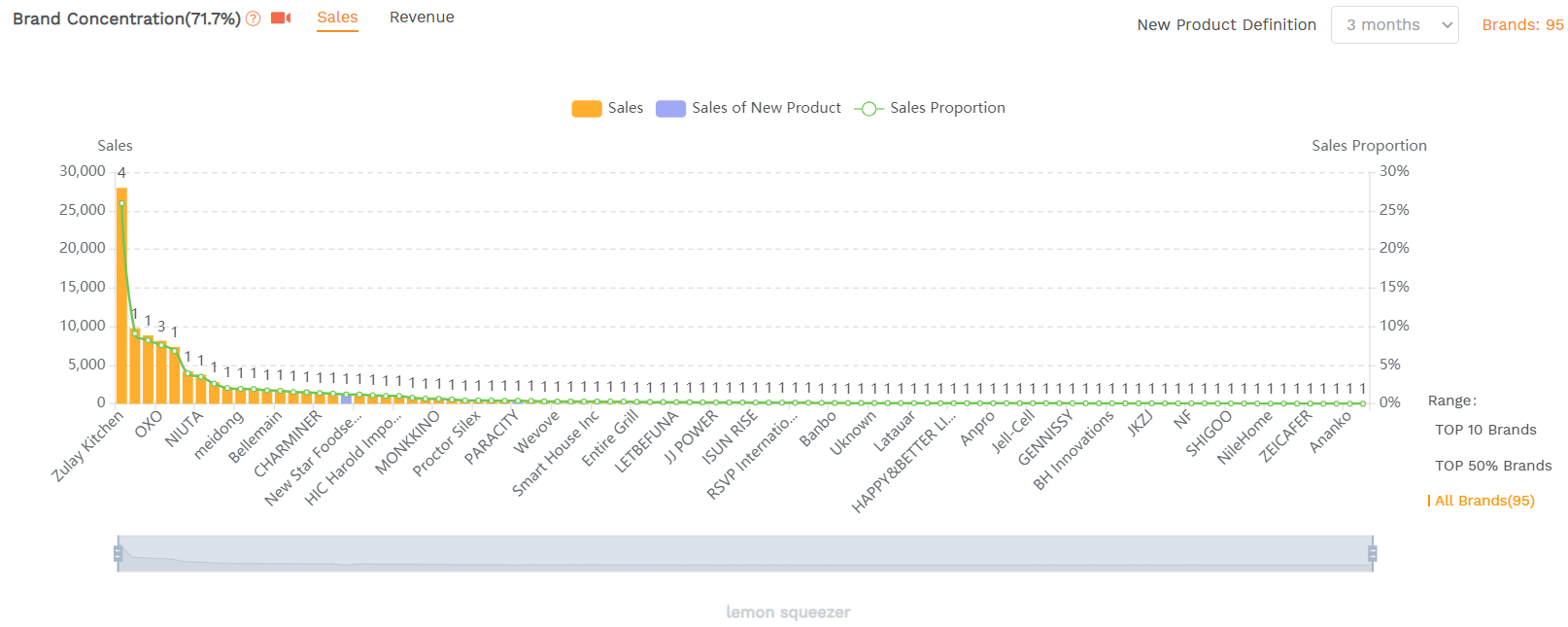
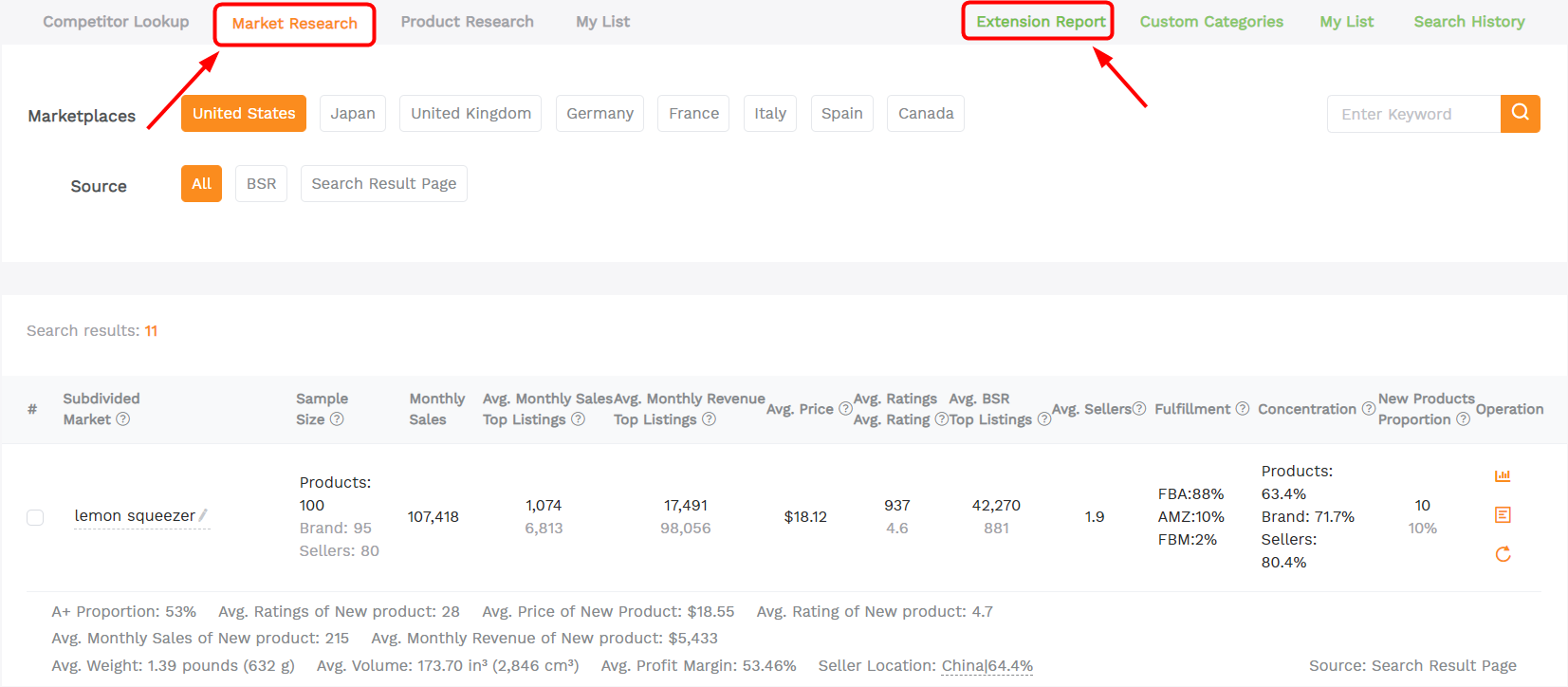
3. All the report will be saved in the tool【market research】-【Extension Report】in SellerSprite’s Web APP
4. You can also generate a report on Amazon BSR Page.
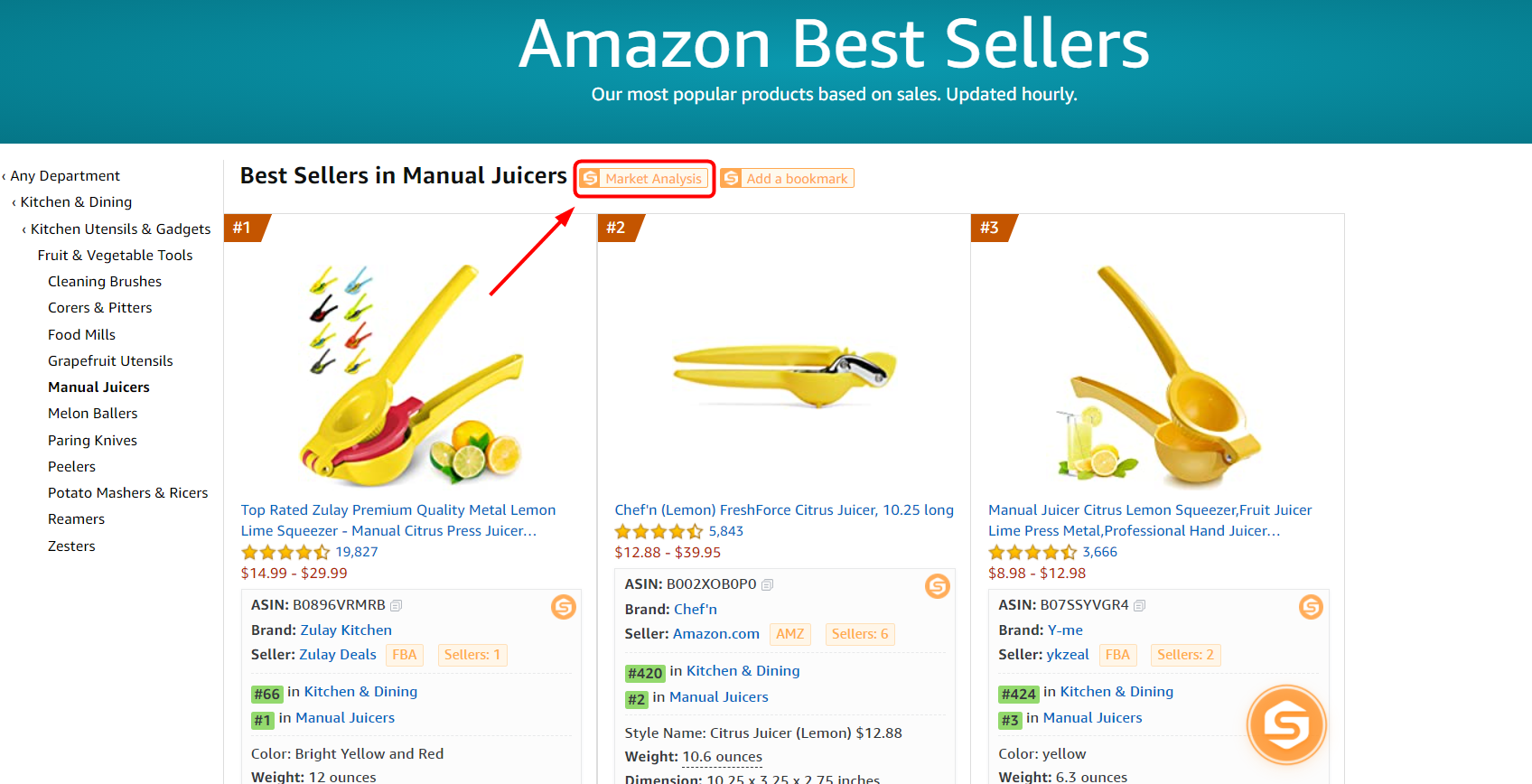
Click to see the market report for manual juicers.